
How to review an AI meal estimate before saving
Check hidden ingredients, portion sizes and nutrition labels before saving an AI meal estimate. A practical GainzKeepr walkthrough with worked examples.
On this page
The short version
Before saving an AI meal estimate, check what food was identified, what the photo cannot show, and how much you actually ate. Add missing ingredients or a clear label, correct the portion and nutrition, then save. A readable label can improve the nutrition basis, but it does not establish the amount consumed.
Start with the easiest source to check
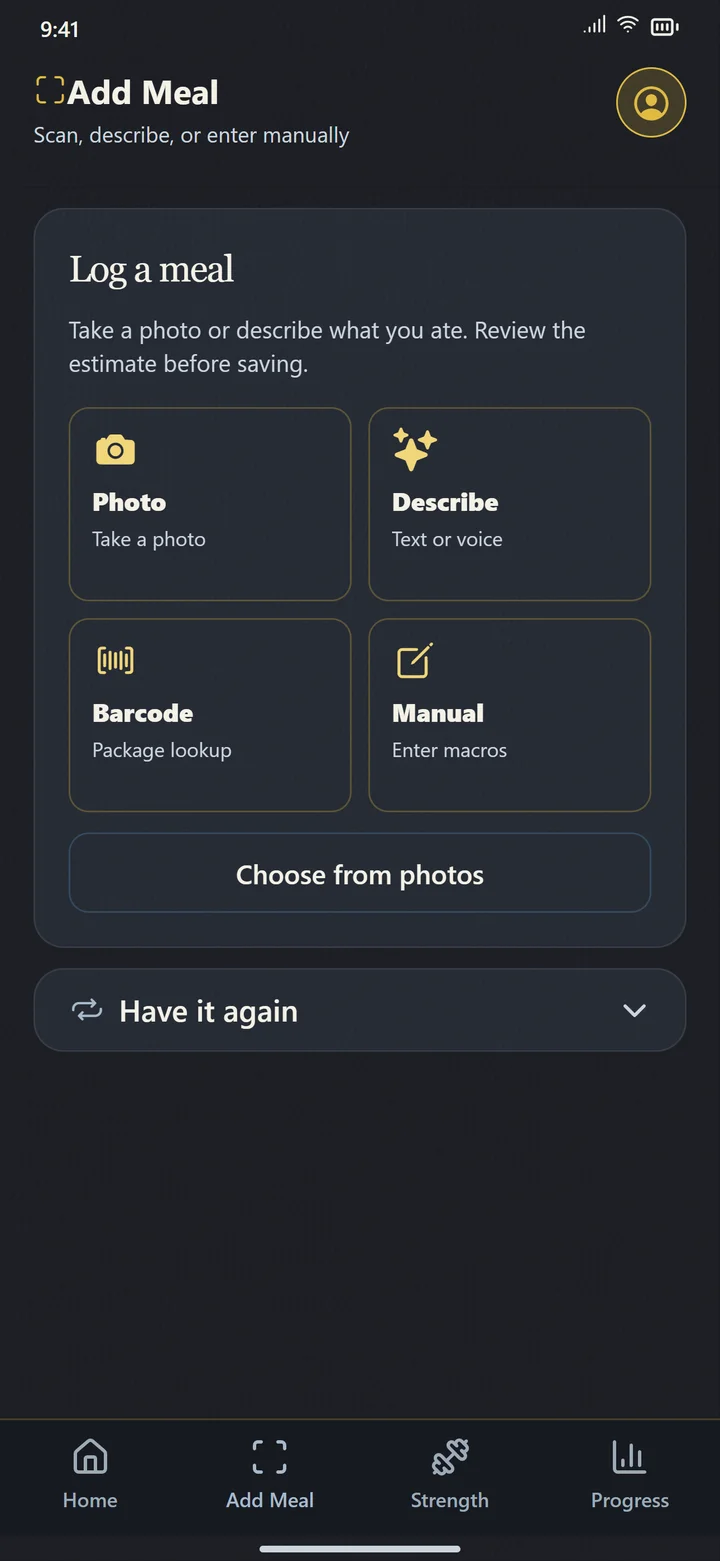
In GainzKeepr, Add Meal offers Photo, Describe, Barcode and Manual. Choose the method that gives you the clearest information for this meal. A barcode is useful for an identified packaged product; a photo or description can help draft a mixed meal. Use manual entry when you already know the nutrition.
A bowl photo does not show everything in the bowl
Imagine a salad with chicken underneath a thick layer of greens. The visible surface may look mostly like vegetables. If the draft omits chicken, changing the calorie total alone leaves the protein estimate wrong. Describe the missing ingredient and its amount if you know it.
A useful description might be: “Chicken under the greens, about half a cup of cooked rice, and one tablespoon of dressing.” These are example details, not suggested portion sizes. Say when an amount is uncertain. GainzKeepr may ask an optional clarification; answer when it supplies information that is missing from the image.
- Check for a protein ingredient hidden below toppings.
- Include oil, dressing, spreads and drinks that belong in the entry.
- Mention leftovers if the photo shows more food than you ate.
Use a label for the nutrition basis, then choose the amount eaten
Photograph the nutrition panel clearly and check the product returned by a barcode scan. Read the serving weight and whether values are per serving or per 100 g. Use the column that matches the food as consumed, including prepared versus unprepared values. Do not treat kJ as kcal.
The FDA explains that a label serving is a reference amount, not a recommendation of how much to eat. The totals must reflect the number of servings consumed. In GainzKeepr, review Amount eaten and use the available serving or custom controls. Whole package requires a known package amount.
Sources: U.S. Food and Drug Administration
| Example amount eaten | Calculation | Meal total |
|---|---|---|
| Half a 30 g serving | 0.5 × the label values | 60 kcal · 4 g protein |
| One 30 g serving | 1 × the label values | 120 kcal · 8 g protein |
| A 60 g package containing two servings | 2 × the label values | 240 kcal · 16 g protein |
Authored arithmetic example: a hypothetical label lists 120 kcal and 8 g protein per 30 g. These are not nutrition claims about the pictured food.
Check the draft before it becomes your meal history
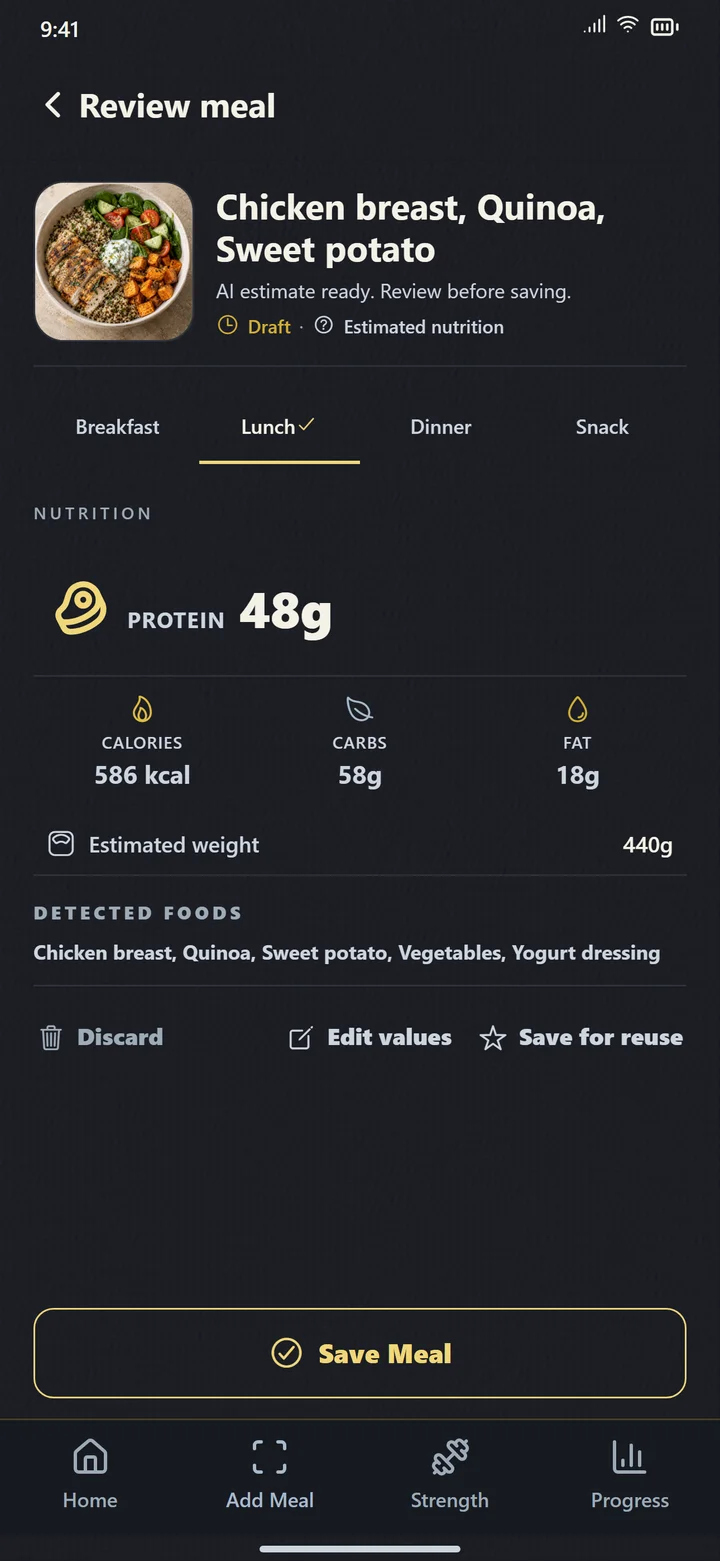
On the review screen, check the meal name, portion and nutrition together. If the food is right but the amount is wrong, correct the amount. If an ingredient is missing, correct the draft with the information you have. Check any clarification or uncertainty note instead of treating a confidence score as measured accuracy.
Save once the entry is useful for your record. When you reuse it through Have it again, check the portion and recipe again. A saved meal is a shortcut to a familiar entry, not proof that today’s meal is identical.
What another photo can and cannot fix
A second angle may show ingredients or depth that the first photo missed. A close-up may make label text easier to read. OpenAI documents limitations with small text and precise spatial reasoning, so better input still needs review.
No photo reliably establishes every hidden ingredient, exact food weight or amount left uneaten. Use a measured amount, the package information or a known recipe when available. GainzKeepr is a tracking aid; use information required by your care team for clinical decisions.
Sources: OpenAI documentation
Questions people ask
Does a nutrition label make the whole meal accurate?
No. The label describes a nutrition basis. You still need the correct product, serving basis and amount eaten, plus any ingredients added separately.
Should I always choose the lowest calorie estimate?
Use the best available evidence about the food and portion. Picking the lowest number does not establish accuracy. If you cannot resolve an uncertainty, keep that limitation in mind when reviewing the entry.
Can I use GainzKeepr without taking a photo?
Yes. Describe the meal, scan a barcode, enter nutrition manually, or reuse a saved meal and review its portion.
Evidence and further reading
- How to understand and use the Nutrition Facts label U.S. Food and Drug Administration
- Images and vision: limitations OpenAI documentation